

The GD32F103CBT6 is an ARM Cortex-M3 class microcontroller running at up to 108 MHz, featuring a mid-range memory profile and a rich peripheral set. This compact, data-first snapshot provides the core numbers and integration guidance for your next embedded design.
GD32F103CBT6: Quick Technical Overview
What this MCU is (use-case summary)
This MCU combines a Cortex-M3 core at 108 MHz with a moderate Flash and SRAM complement suitable for control, communications, and USB device roles. Typical use cases include industrial control nodes, USB-enabled instruments, CAN gateways, and hobbyist projects that require deterministic timing with modest memory footprints. At a glance: a 48-pin LQFP-style package, USB FS support, multi-channel ADC, timers, and DMA make it a strong mid-range choice when cost and capability must balance.
How to read official datasheet highlights
When you open the datasheet, focus on eight top-line values: max CPU clock, Flash size, SRAM size, VDD range, IO voltage limits, max junction temperature, list of communication peripherals, and recommended external clock specs. Extract memory map snippets, flash wait-state guidance, and current-vs-clock figures.
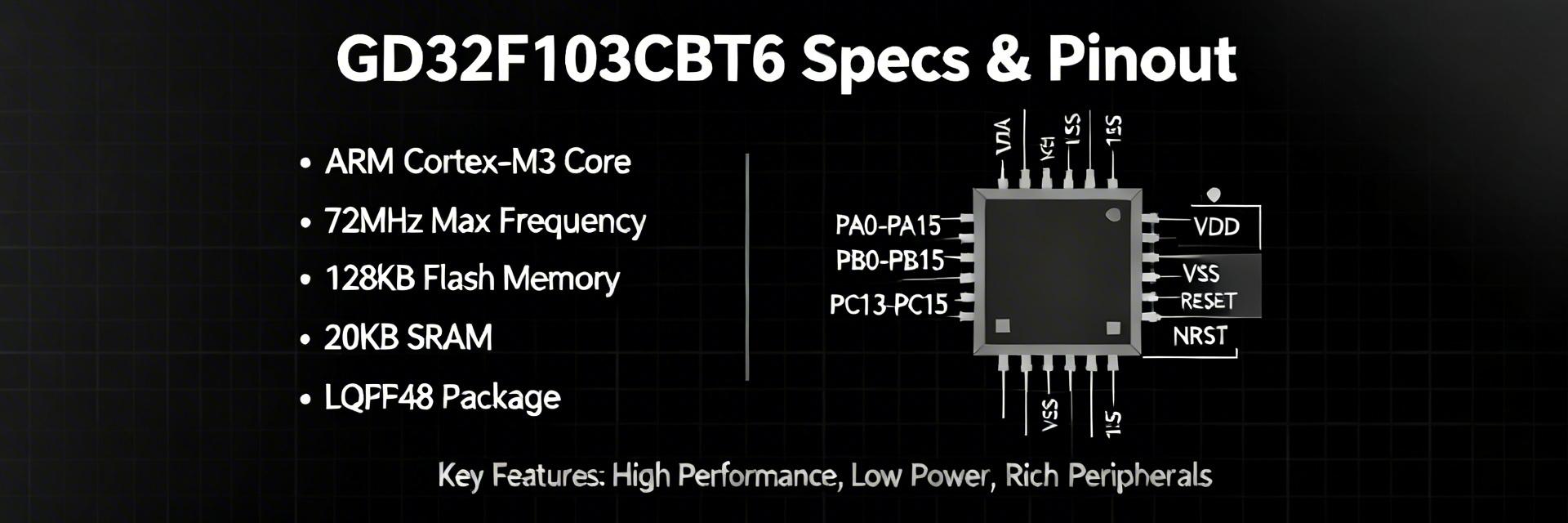
GD32F103CBT6 Key Specs & Electrical Metrics
| Parameter | Specifications | Design Notes |
|---|---|---|
| Voltage Range (VDD) | 2.6V – 3.6V | Target 3.3V for standard peripherals |
| CPU Performance | ~1.25 DMIPS/MHz | Low hundreds DMIPS for integer workloads |
| Operating Temp | -40°C to +85°C | Standard industrial grade range |
| I/O Logic Level | 5V Tolerant (mostly) | Check specific pin maps for exceptions |
Pinout & Package Details: How to Map Pins for Your Board
Package types & Footprint
The common mechanical option is a 48-pin LQFP footprint with standard pad pitch; check the dimensional drawing for thermal pad and keepout recommendations. On your PCB, reserve copper for the exposed pad or thermal tie if present, and follow recommended soldermask openings. Prioritize short VDD/VSS traces and proximity for bulk and high-frequency caps.
Functional Pin Mapping
Assign power pins and ground first, then oscillators and USB/CAN pins. Group UART, SPI, and I2C pins to simplify routing and DMA channel assignment. Place decoupling within 2–3 mm of VDD pins, route USB D+ and D- as a controlled 90-ohm differential pair, and connect CAN to a dedicated transceiver with proper termination.
Performance Benchmarks & Typical Application Patterns
Real-world Benchmarks
- • DMIPS/MHz: Core efficiency test
- • Flash Read Latency: Measure wait-states
- • USB FS Throughput: Profile bulk endpoints
- • CAN Bus Load: Real-time frame handling
Application Patterns
1. USB + SPI: Sensor data logging via DMA.
2. CAN Gateway: Translating frames to UART with double buffering.
3. RT Control: Periodic ADC sampling with PWM output loop.
Design & Integration Checklist: From PCB to Firmware
Hardware Checklist
Finalize power-rail filtering, oscillator choice, and pull-ups for I2C. Ensure ESD protection on external connectors. Keep analog references away from switching noise. Place 0.1 µF and 1 µF decouplers close to each VDD pin. Run DRC and solderability checks before fabrication.
Firmware Checklist
Start with LED blink and clock verification. Progress to UART bootlog and flash programming tests. Execute DMA transfer and interrupt storm tests. Log current consumption at each stage to validate sleep modes and optimize power gating.
Summary
The essential takeaway: this Cortex-M3 device pairs a 108 MHz core with a moderate Flash/SRAM balance and a broad peripheral mix, making it well-suited to mid-range embedded tasks where USB, CAN, or multiple serial links are common.
- Verify core numbers and memory limits against your firmware footprint; measure DMIPS and flash wait-state behavior.
- Confirm pin assignments for USB and CAN early; follow differential-pair routing and place decoupling nearest the VDD pins.
- Execute a staged bring-up: power rails, clock, UART/ADC smoke tests, then DMA/peripheral throughput validation.
