

The GD32L233RCT6 headline numbers are the starting point for any low‑power design: a 32‑bit M23‑class core, maximum operating frequency, flash and SRAM capacities, peak active and standby currents, and available package/pin counts. These figures determine wake latency, code fit, and battery life; consult the datasheet to extract exact values and test conditions.
Pro Tip: Use the datasheet as the single source of truth for electrical and timing limits. The device‑family datasheet lists guaranteed conditions and test setups. Take the datasheet numbers, note the test conditions (VDD, temperature, clock), and record them beside bench measurements to avoid surprises during bring‑up.
Quick Overview & What to Look For in the Datasheet
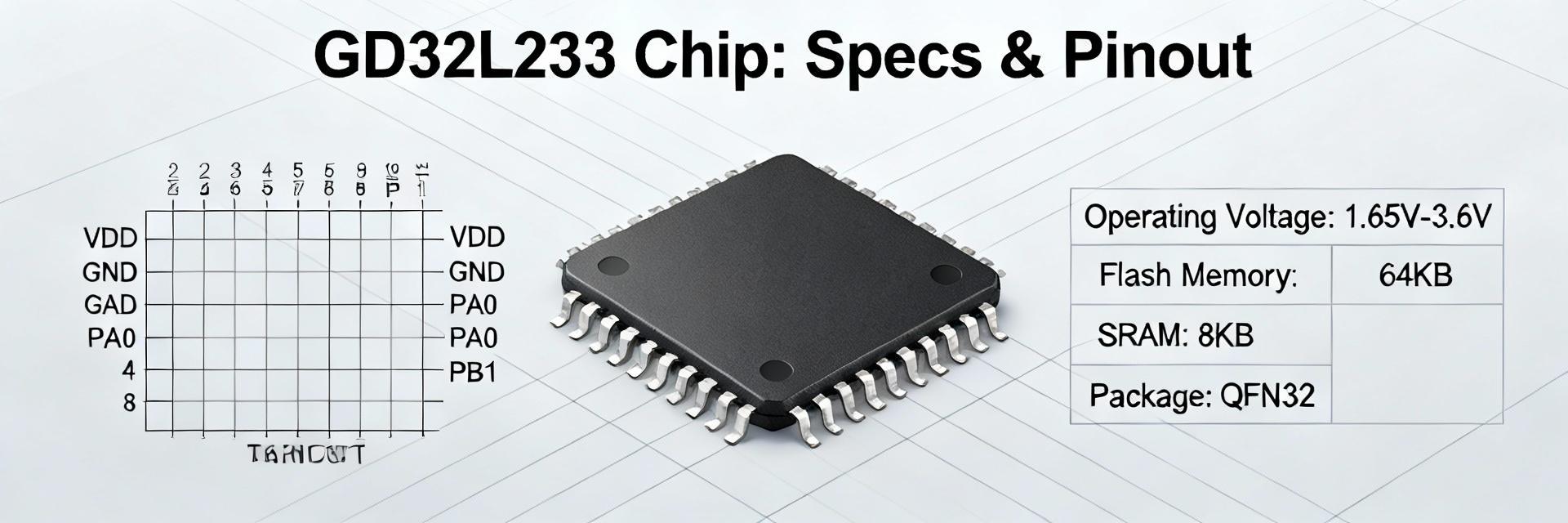
Device Family & Intended Use Cases
Identify the device positioning and package choices immediately. The datasheet front sections summarize the family, packages, and target applications. Treat this as a one‑paragraph snapshot—low‑power general‑purpose MCU for battery sensors and simple control nodes—then mark which package pin count (e.g., RCT6 package) you’ll target for BOM and PCB constraints.
Key Specs at a Glance
| Core | Max MHz | Flash (KB) | SRAM (KB) | ADC/DAC | Comms | Max I/O | Vdd Range | Temp | Typical Power |
|---|---|---|---|---|---|---|---|---|---|
| 32‑bit M23‑class | 64 MHz | 256 KB | 32 KB | 1x12-bit (16ch) / 1x12-bit | UART, SPI, I2C, USB | 52 GPIOs | 1.7V – 3.6V | -40°C to 85°C | ~70µA/MHz (Active) |
Use this template to capture exact datasheet numbers. Paste the table values into your project spec sheet, including the exact conditions (VDD, clock frequency, temperature) that the datasheet used.
Electrical Characteristics Deep‑Dive
Absolute Max & Supply Domains
Separate absolute maximums from recommended ranges. Document absolute limits (do not operate at these) and recommended VDD range for normal operation. Note any separate domains (analog VREF, VBAT) and required sequencing or pull resistors to avoid latch‑up or I/O damage.
DC/AC Timing & Thermal Notes
Extract GPIO drive strengths, source/sink currents, oscillator stability, and thermal derating. Use those values to size pull resistors, MOSFET gates, and to estimate toggling power; include oscillator start‑up times and reset pulse widths in system timing budgets.
Power Consumption Visualization (Typical)
Memory Map, Performance & Peripherals
Memory Layout & Boot Configuration
Read the memory map and boot area carefully. The datasheet shows flash, ROM, SRAM regions, vector table base, and bootloader region. Pick linker script base addresses from the map, confirm where the built‑in bootloader resides, and verify any option bytes or boot pins that change boot location before flashing silicon.
Peripherals & Practical Limits
List peripherals and realistic throughput. For each interface (UART, SPI, I2C, ADC, timers), take the datasheet limits (maximum SPI clock, ADC sample rate) and reduce them for CPU load, ISR overhead, and DMA availability to obtain practical sustained throughput targets.
Pinout & Package Guide
Pinout Diagram Interpretation
Decode the pinout and alternate functions from package drawings. Create a checklist for each pin capturing default function, alternate functions, and any dedicated analog or boot roles; mark pins that must be strapped at reset and those with limited voltage tolerance.
PCB Recommendations
Follow recommended wiring and placement for reliable operation. Place decoupling within millimeters of VDD pins, route VREF to ADC nets carefully, use series resistors and TVS for exposed GPIOs, and avoid routing high‑speed traces near ADC inputs to minimize noise coupling.
Power Management, Clocks & Boot Sequence
Power Modes & Methodology
Map datasheet power modes to your use cases. When measuring current, set VDD, clock source, and peripheral states as the datasheet does; document differences between datasheet numbers and your board measurements, then iterate to lower consumption.
Clock Tree & Startup
Choose clock sources that balance accuracy and power, set flash wait states to match frequency, and verify boot pin states and option bytes—wrong clock config or miswired boot pins are common causes of non‑booting devices.
Design Checklist & Debugging
Pre‑production Checklist
- ✔ Validate VDD/VSS routing and decoupling placement.
- ✔ Check ground returns and boot‑pin pull values.
- ✔ Verify VREF presence and NRST behavior on power-up.
Firmware Bring‑up Flow
Flash a minimal image that sets the vector table, enables clocks, and toggles a UART heartbeat; then enable peripherals one by one. If peripherals fail, check flash wait states, clock source selection, and ADC reference routing with simple multimeter and log prints.
Summary
- ● Extract the GD32L233RCT6 core numbers and test conditions from the datasheet, then record them in a one‑row spec table to guide hardware and firmware choices.
- ● Use the electrical and timing tables before laying out PCB: follow recommended decoupling, avoid noisy routing near ADC pins, and respect IO clamp and sequencing limits.
- ● Follow the staged bring‑up checklist—minimal boot image, verify VREF/NRST, then enable peripherals sequentially—to reduce debug time and confirm power budgets.
